
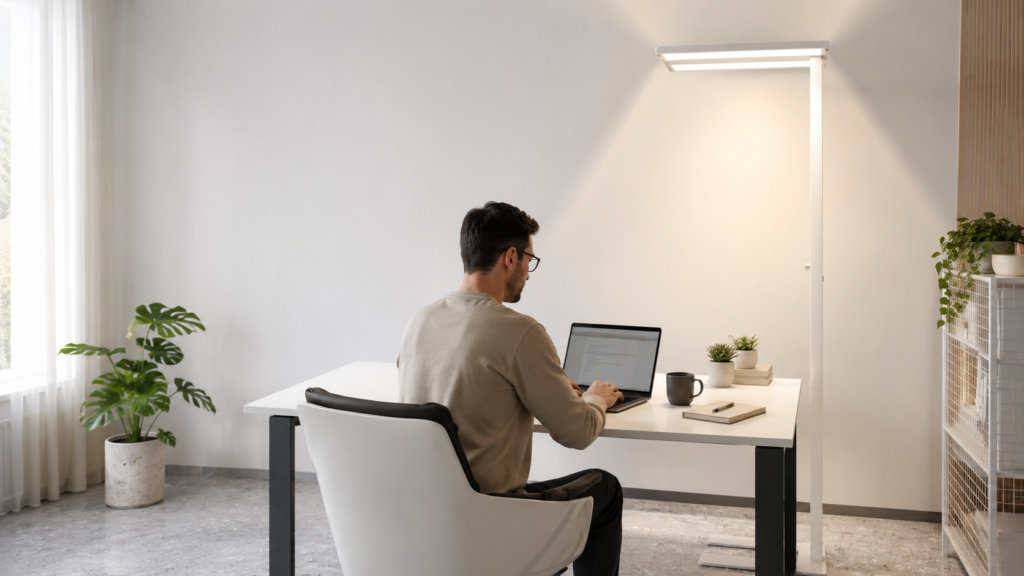
Working from home sounds comfortable, but poor lighting can quickly make your home office feel tiring. You may start the day feeling focused, only to notice dry eyes, headaches, blurred vision, or low energy after a few hours. In many cases, your computer screen is not the only problem. The lighting around your desk also plays an important role.
A small table lamp may brighten one corner of your workspace, but it often leaves the rest of the room dark. This creates a strong contrast between your screen, desk, and surroundings. Your eyes then have to keep adjusting, which can make long work sessions uncomfortable.
The best reading lamps for remote workers should provide more than a narrow beam of light. They should brighten the desk, reduce glare, improve room visibility, and allow you to control the brightness throughout the day.
In this guide, we will look at common home-office lighting problems, practical ways to improve your setup, and features to consider when choosing a reading or office floor lamp.
FOR THOSE WHO ARE IN HURRY……!
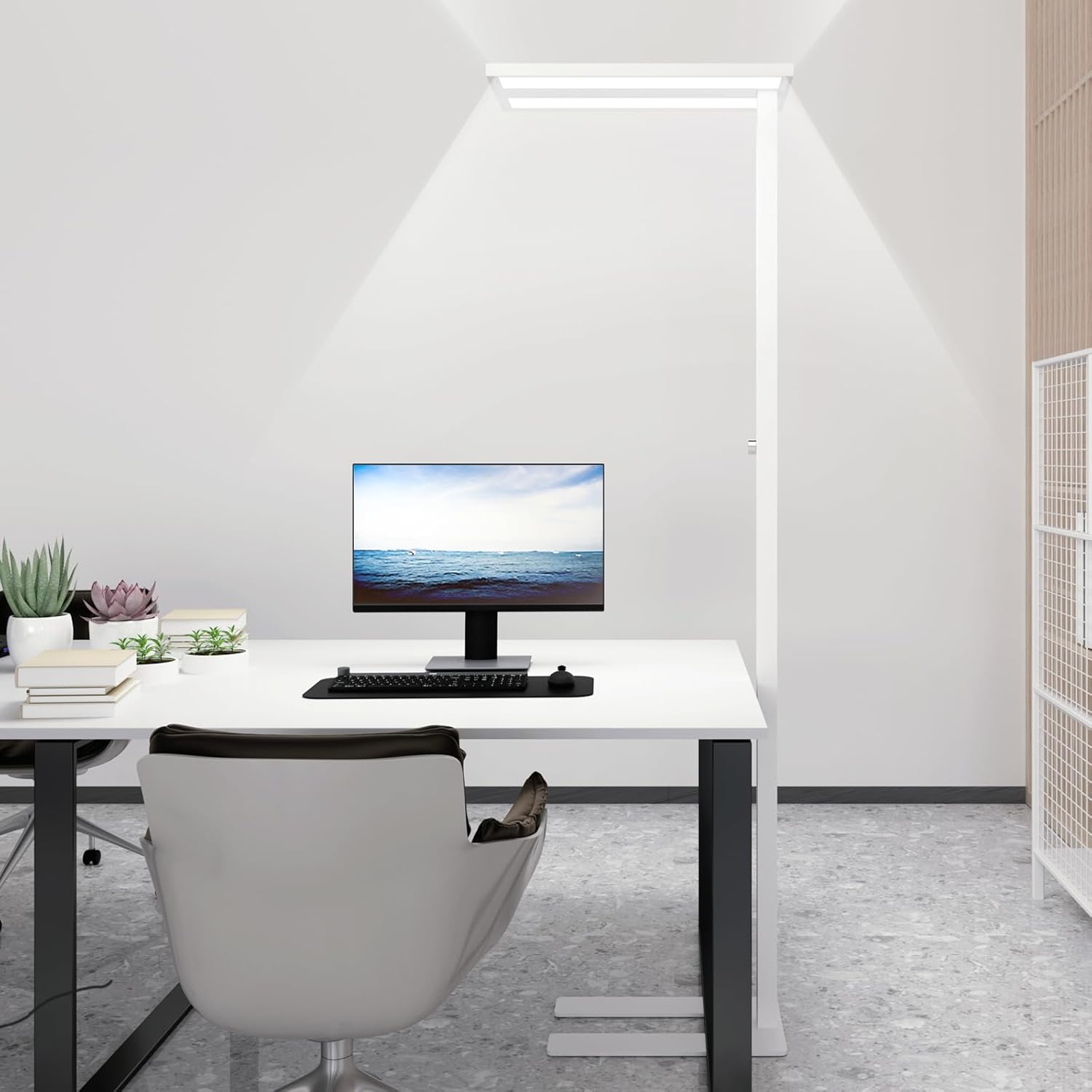
Modern Free-Standing ,Dimmable Lamp
Specifications
- CRI rating of 90 or higher
- 4000K natural daylight color temperature
- micro-prismatic diffuser
- Flicker-free lighting
- Integrated LED chips
- LED lifespan of up to 50,000 hours
Why Good Lighting Matters When You Work From Home
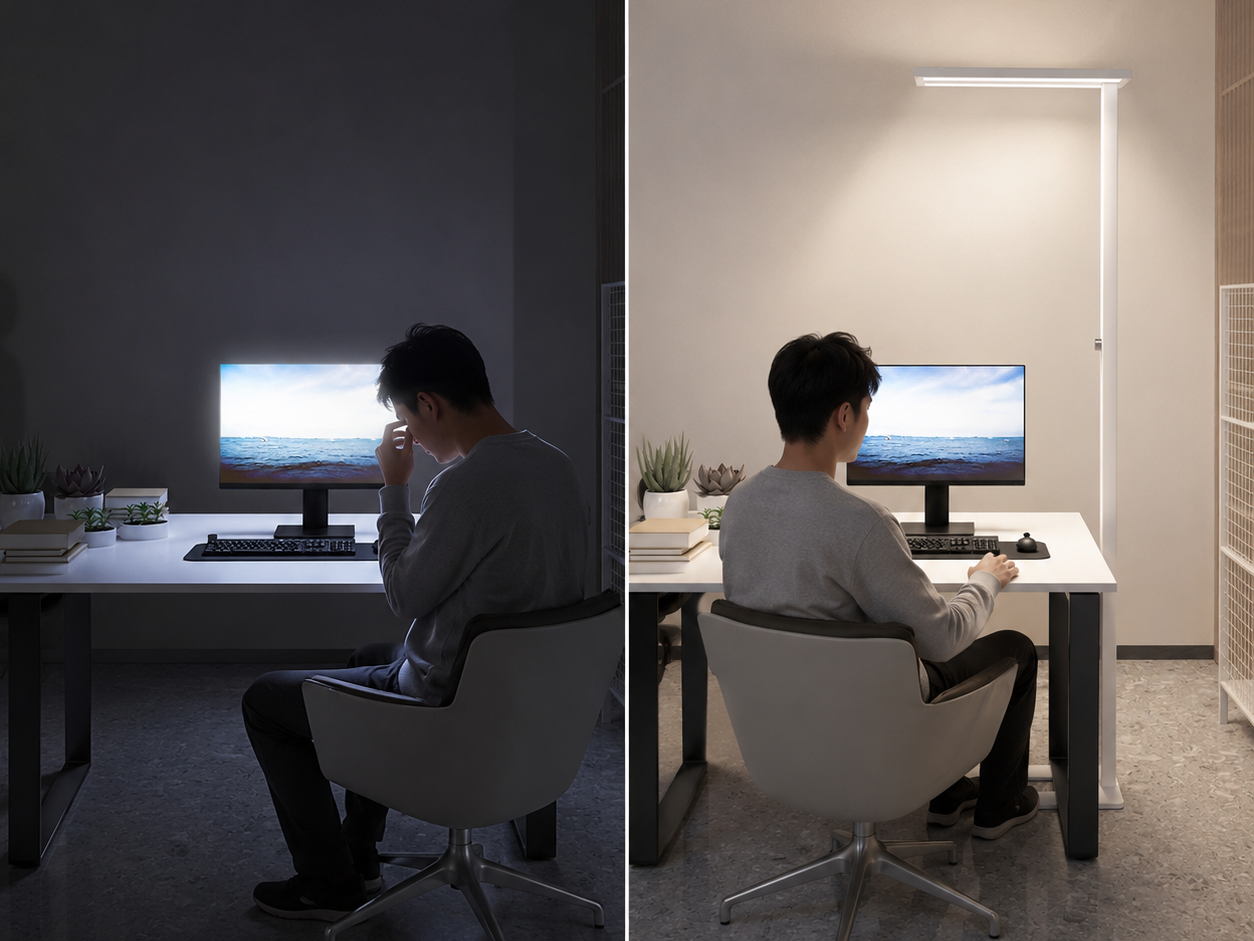
Remote workers often spend six to ten hours a day in the same room. During that time, they may read documents, attend video meetings, write reports, review spreadsheets, or work on detailed creative tasks.
When lighting is poor, even simple work can feel more difficult.
Your eyes naturally work harder when:
- The room is too dark
- The computer screen is much brighter than the surroundings
- A lamp creates harsh shadows
- Light reflects directly from the screen
- The brightness changes across the workspace
- The light flickers or feels uncomfortable
- You cannot adjust the lamp for different tasks
These problems may not seem serious at first. However, after several hours, you may notice that you are rubbing your eyes, losing concentration, sitting closer to the screen, or taking more breaks than usual.
Good lighting does not replace healthy screen habits, but it can make your workspace more comfortable and easier to use.
Common Home-Office Lighting Problems
Every home office is different, but remote workers commonly face the same lighting challenges.
The Room Is Bright in the Morning but Dark Later
Natural daylight can make your office feel comfortable during the morning. However, as the sun moves, your workspace may become darker.
A room that feels bright at 10 a.m. may feel completely different at 4 p.m. If your only light source is a ceiling bulb, you may not have enough focused light for reading or detailed work.
A dimmable lamp helps you adjust the brightness as natural daylight changes.
The Desk Is Bright but the Rest of the Room Is Dark
A small desk lamp may provide enough light for your keyboard or notebook. However, it can create a bright spot surrounded by darkness.
This uneven lighting forces your eyes to adjust whenever you look away from the desk. For example, you may look from a bright laptop screen to a dark wall during a video meeting.
A lamp that provides both direct and indirect light can create a more balanced environment.
The Lamp Creates Screen Glare
Placing a lamp directly behind your monitor or pointing it toward the screen may create reflections. These reflections can make text harder to read and may cause you to change your sitting position.
Screen glare is especially common with glossy monitors, tablets, and laptops.
The lamp should provide enough light without shining directly into your eyes or reflecting from the screen.
Shadows Cover Important Areas
A lamp placed on one side of the desk may create shadows when you write, draw, read, or use a notebook.
For example, a right-handed person may create a shadow by placing the lamp on the right side. Moving the light to the opposite side can improve visibility.
A wider light panel can also spread light across a larger area and reduce strong shadows.
The Light Is Too Bright at Night
Bright lighting may be useful during the day, but it can feel harsh during evening work sessions.
This is why brightness control matters. Instead of using the same light level all day, you can lower the brightness when the room is naturally darker or when you are completing less detailed work.
What to Look for in the Best Reading Lamps
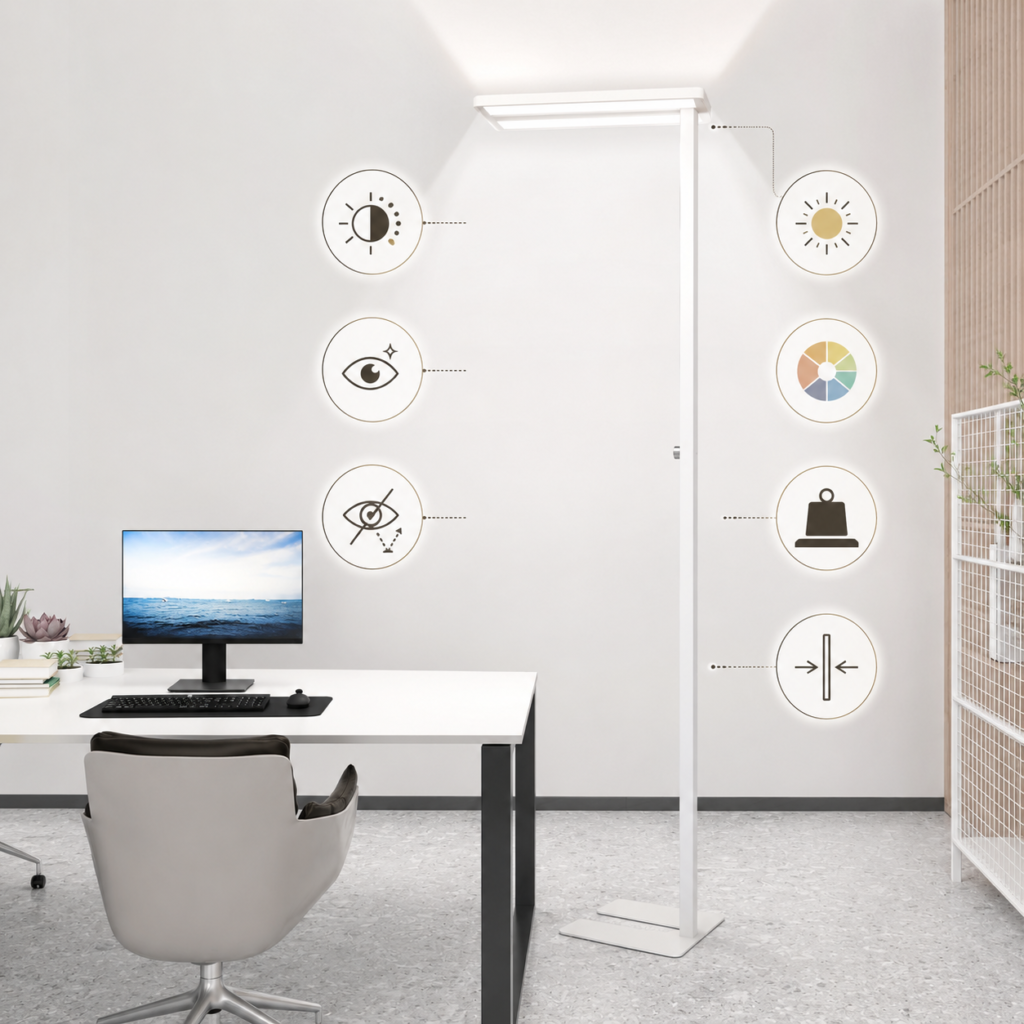
The best reading lamp is not always the smallest, brightest, or most expensive option. It should match your workspace, working hours, and daily tasks.
Here are the most important features to consider.
Adjustable Brightness
Different tasks require different levels of light.
You may need stronger lighting when reviewing printed documents, drawing, assembling products, or reading small text. Lower brightness may be enough for video calls, planning tasks, or light computer work.
A dimmable lamp gives you more control and allows you to change the light according to the time of day.
Look for controls that are easy to reach. A complicated control system can become annoying when you need to adjust the brightness several times a day.
Direct and Indirect Lighting
Direct light shines toward your desk or work surface. It helps you see documents, notebooks, keyboards, and other objects clearly.
Indirect light shines upward and reflects from the ceiling. It spreads across the room and creates softer background lighting.
Using both types together can reduce the strong difference between a bright desk and a dark room.
This balanced setup is particularly useful for remote workers who use several screens or frequently look around the room during meetings.
Flicker-Free Light
Some lights may flicker in a way that is difficult to notice. Even when you cannot clearly see the flicker, it may still make the light feel uncomfortable during long work sessions.
A flicker-free lamp is a better option for people who spend many hours reading, typing, studying, or working in front of a screen.
Reduced Glare
Glare can come from the lamp itself or from light reflecting from a monitor, glass desk, or shiny surface.
A diffuser helps spread light more evenly. Instead of producing a harsh beam, it creates softer and more comfortable illumination.
When comparing lamps, look for designs that mention glare control, diffused lighting, or micro-prismatic panels.
A Suitable Color Temperature
Color temperature describes whether light looks warm, neutral, or cool.
Warm light can feel relaxing, while cooler light may feel more energetic. Neutral daylight around 4000K offers a balanced appearance that many people find suitable for offices, reading rooms, and study areas.
It is bright enough for focused work without feeling as cold as some very high-temperature white lights.
Personal preference still matters. Some people enjoy warm lighting, while others prefer a clean daylight effect.
High Color Rendering
The Color Rendering Index, usually written as CRI, describes how accurately colors appear under a light source.
A lamp with a CRI of 90 or above can make colors look more natural and realistic. This can be helpful for designers, artists, photographers, online sellers, and anyone who works with color-sensitive materials.
High color accuracy can also make an office feel more pleasant because objects do not appear dull or washed out.
A Stable Base
Floor lamps should remain steady, especially in busy homes.
A stable base is important when:
- Children use the room
- Pets move around the workspace
- The lamp is placed near a chair
- The office has limited floor space
- The lamp is positioned beside or behind a desk
A weighted, anti-tilting base can reduce the chance of accidental movement.
Space-Saving Design
Remote workers do not always have a dedicated office. Many people work from bedrooms, dining areas, living rooms, or shared spaces.
A slim floor lamp may be more practical than a large desk lamp because it does not take up valuable desk space.
Some floor lamps are designed to fit closely beside a desk or slide partially underneath office furniture.
How Dual Lighting Can Improve a Home Office
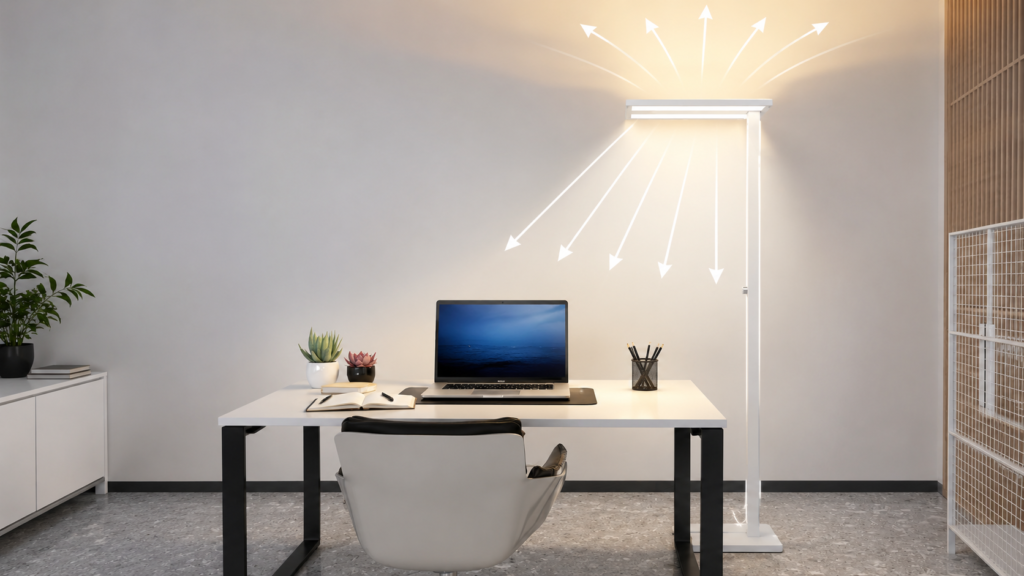
Dual-light floor lamps use separate upward and downward lighting.
The downward light focuses on the work area, while the upward light reflects from the ceiling and brightens the room.
This design can solve two problems at once:
- It provides clear task lighting for the desk.
- It reduces dark areas around the workspace.
Imagine working at a desk with only a small lamp. Your notebook may be visible, but the background behind your monitor remains dark. When you look away from the screen, your eyes have to adjust.
Now imagine a setup where the desk is properly lit and soft light spreads across the ceiling. The room feels more balanced, and there is less contrast between different areas.
This type of lighting is useful for:
- Reading printed reports
- Working on a laptop
- Attending video calls
- Studying for online courses
- Reviewing financial documents
- Drawing or designing
- Packing products for an online store
- Completing detailed administrative work
A Practical Example for Remote Workers
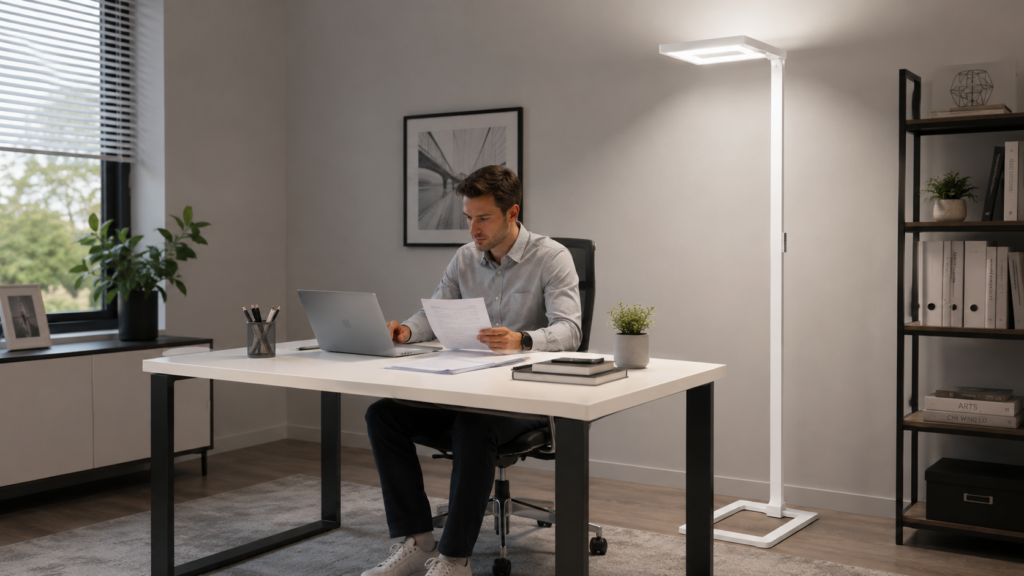
One example of a dual-light office lamp is the STERREN 76-inch LED Floor Lamp.
According to its listed specifications, it uses a 45W downward light and a 60W upward light. The direct light is designed to illuminate the desk, while the indirect light reflects from the ceiling to brighten the wider room.
The lamp provides up to 11,100 lumens in total, with approximately 3,000 lumens directed toward the workbench and 8,100 lumens directed upward for room lighting.
This does not mean every remote worker needs the brightest possible setting. The useful feature is continuous dimming, which allows the light level to be adjusted with a rotary control.
The lamp also includes:
- A 4000K natural daylight color temperature
- A CRI rating of 90 or higher
- A micro-prismatic diffuser
- Flicker-free lighting
- A weighted U-shaped base
- An anti-tilting angle
- A large rectangular light panel
- Integrated LED chips
- A stated LED lifespan of up to 50,000 hours
These features make it relevant for large desks, home offices, study rooms, meeting rooms, and work areas where both focused and general lighting are needed.
However, room size, ceiling color, desk position, and personal brightness preference will affect the final result. A powerful lamp may need to be used at a lower setting in a small room.
How to Position a Reading Lamp Correctly
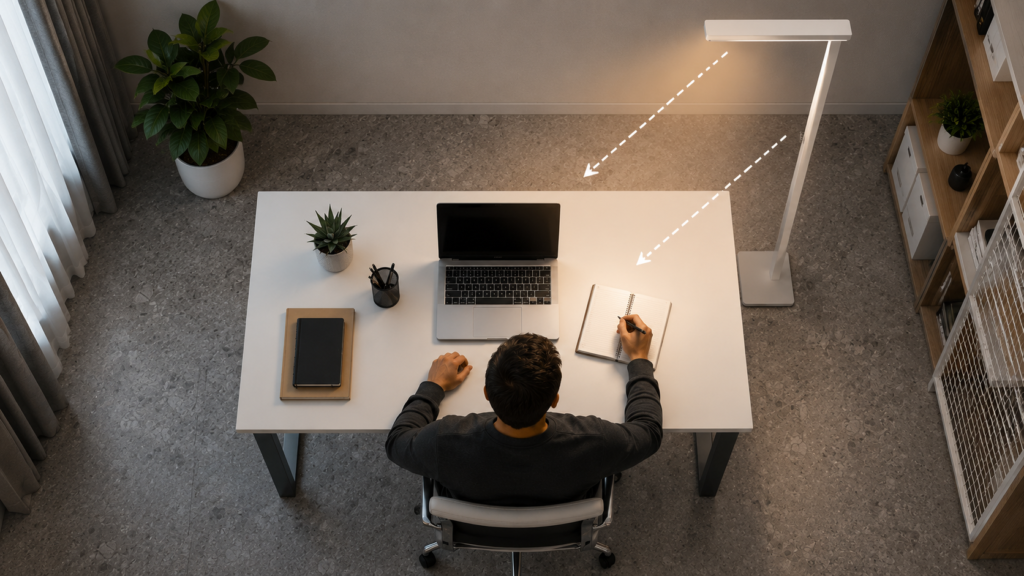
Even the best lamp may feel uncomfortable when placed in the wrong position.
Use these practical tips to improve your setup.
Keep It Away From the Direct Screen Line
Do not position the light where it shines directly into your monitor.
Instead, place it slightly beside or behind the desk. Check the screen from your normal sitting position and move the lamp until reflections are reduced.
Use the Opposite Side of Your Writing Hand
When using a notebook, place the main task light on the opposite side of your writing hand.
A right-handed person can place the lamp toward the left. A left-handed person can place it toward the right.
This reduces shadows across the page.
Use the Ceiling for Indirect Light
If the lamp includes upward lighting, keep the top section clear. Avoid placing it directly under a low shelf.
A light-colored ceiling will usually reflect more light than a dark ceiling. Rooms with dark walls or ceilings may require a higher brightness setting.
Avoid Placing the Lamp Too Close
Very bright floor lamps may feel harsh when placed directly beside your face.
Move the lamp slightly farther away and increase or decrease the brightness as needed. The goal is to create comfortable, even light rather than one extremely bright spot.
Test the Setup at Different Times
Check the lighting in the morning, afternoon, and evening.
Natural daylight changes during the day, so one position or brightness level may not work at every hour. A dimmable lamp makes these adjustments easier.
Simple Lighting Habits That Can Reduce Eye Discomfort
A good lamp works best when combined with healthy working habits.
Follow the 20-20-20 Rule
Every 20 minutes, look at something about 20 feet away for at least 20 seconds.
This gives your focusing muscles a short break from close-up screen work.
Adjust Your Screen Brightness
Your monitor should not look like a bright light source inside a dark room.
Try to match the screen brightness with the surrounding environment. If the screen looks much brighter than the wall behind it, increase the room lighting or reduce the screen brightness.
Increase Text Size
Small text makes you lean forward and focus harder.
Increase the text size in your browser, documents, and work applications. This small adjustment can make long reading sessions more comfortable.
Clean Your Screen
Dust, fingerprints, and smudges can make glare more noticeable.
Clean the screen regularly with a suitable microfiber cloth and follow the manufacturer’s cleaning instructions.
Take Short Movement Breaks
Lighting is only one part of a healthy workspace.
Stand up, stretch, move your shoulders, and change your viewing distance during the day. Short breaks can support both visual comfort and overall focus.
Creating a More Comfortable Remote-Work Setup
Lighting should work together with your desk, chair, monitor, and room layout.
Start by checking these areas:
- Is the top of your monitor near eye level?
- Is the screen approximately an arm’s length away?
- Is your chair supporting your back?
- Can your feet rest comfortably?
- Is the desk surface clearly visible?
- Is there glare on your screen?
- Does the room feel balanced or unusually dark?
- Can you adjust the light without leaving your chair?
You do not need to redesign the entire room at once. Start with the problem that causes the most discomfort.
For many remote workers, improving the lighting is one of the easiest changes because it does not require replacing the desk, chair, or computer.
When a Floor Lamp Is Better Than a Desk Lamp
Desk lamps are useful, but they are not the best choice for every workspace.
A floor lamp may be more suitable when:
- Your desk is small
- You need to light a large work area
- You use more than one monitor
- You want both task and room lighting
- You share the desk with another person
- You need to illuminate printed materials
- You do not want cables or equipment on the desk
- You frequently switch between reading and computer work
A desk lamp may still be enough for occasional reading or a small workspace. However, a tall floor lamp offers wider coverage and keeps the desk clear.
Choosing the Right Brightness for Your Work
More brightness is not always better.
Extremely bright light can feel uncomfortable, especially when working at night. The correct setting depends on your task and environment.
For detailed work, you may need stronger light. For general computer work, a medium setting may feel more comfortable.
Try this simple method:
- Set the lamp at a low brightness.
- Increase it slowly until printed text is easy to read.
- Check your computer screen for glare.
- Look around the room for dark areas.
- Reduce the brightness slightly if your eyes feel uncomfortable.
The best setting should help you see clearly without making the room feel harsh.
Energy Use and Long-Term Convenience
Integrated LED floor lamps do not require traditional bulb replacement. This can make them convenient for daily office use.
The STERREN lamp is listed with a lifespan of up to 50,000 hours. Actual lifespan may depend on usage, temperature, electrical conditions, and product care.
When comparing LED lamps, consider:
- Total wattage
- Expected daily use
- Brightness control
- LED lifespan
- Warranty information
- Availability of customer support
- Whether the light source can be repaired or replaced
A high-output lamp may use more electricity than a small desk lamp, so it is helpful to use only the brightness needed for the task.
Frequently Asked Questions
A dimmable lamp with wide, flicker-free, and glare-controlled lighting is a practical choice. A model with both downward task lighting and upward room lighting can help reduce uneven brightness around the workspace.
A floor lamp is often better for larger desks, multiple monitors, or rooms that need general lighting. A desk lamp may be enough for a small workspace or occasional reading.
Yes, many people find 4000K natural daylight suitable for reading, studying, and office tasks. It provides a neutral appearance that is neither extremely warm nor very cool.
Better lighting can reduce glare, harsh contrast, and shadows that may contribute to visual discomfort. However, it should be combined with screen breaks, proper monitor placement, suitable text size, and professional advice when symptoms continue.
The ideal brightness depends on the room size, task, wall color, ceiling height, and natural daylight. A dimmable lamp is useful because you can increase or reduce the output rather than relying on one fixed brightness level.
Place it beside or slightly behind the desk where it does not reflect from the monitor or shine directly into your eyes. Test several positions while sitting in your normal working position.
They can be too bright when used at maximum power. A high-lumen lamp with continuous dimming can still work in a smaller room when used at a lower setting.
A CRI of 90 means the light is designed to show colors more accurately than lower-CRI lighting. This can be useful for creative work, product inspection, artwork, and tasks where color accuracy matters.
Flicker-free lighting may feel more comfortable during long reading or computer sessions. It is particularly useful for people who are sensitive to uncomfortable or unstable light.
It may be suitable because it has a slim base and adjustable brightness. However, its total output is powerful, so small-room users may prefer a lower brightness setting.
Its upward light is designed to illuminate the wider room, so it may reduce the need for separate ceiling lighting in some spaces. The result will depend on room size, ceiling height, and surface colors.
Not every remote worker needs professional equipment. However, people who work long hours, read printed documents, perform detailed tasks, or use multiple screens may benefit from a more balanced lighting setup.
Final Thoughts
The best reading lamps for remote workers should make the entire workspace easier to use, not simply create one bright spot on the desk. Adjustable brightness, reduced glare, flicker-free output, stable construction, and a balance of direct and indirect lighting can all improve daily comfort.
The STERREN 76-inch LED Floor Lamp is one option for workers who need strong desk lighting and wider room illumination from a single fixture. Its dual-light design, dimming control, 4000K output, and high CRI make it worth considering for large desks and long working sessions.
Before choosing any lamp, think about your room size, desk position, screen placement, and working hours. A well-positioned lamp, combined with regular breaks and proper screen settings, can help create a calmer and more productive home office. Check further home improvement products here
Improve Your Home-Office Lighting
Looking for a tall, dimmable lamp that can brighten both your desk and the surrounding room?
View the STERREN 76-inch LED Floor Lamp on Amazon to check its current price, availability, customer reviews, and full specifications.